.svg "novoserve-dedicated-server-provider-logo")
Building a WebRTC prototype is easy. You spin up a few lines of JavaScript, connect two browsers on your local network, and watch the video stream flawlessly.
But taking that prototype into production to power a high-performance webcam platform dedicated server or a live creator application changes the game entirely. The moment you scale to concurrent, bidirectional 720p HD streams, infrastructure limitations can destroy your user experience. When routing real-time media tracks, network jitter, packet loss, and rigid content policies are your biggest enemies.
To run a production-ready WebRTC server framework like LiveKit, you need a precise infrastructure blueprint optimized for zero packet loss, stable UDP throughput, and a smart multi-region network topology.
WebRTC Media Server Requirements
A modern WebRTC SFU (Selective Forwarding Unit) like LiveKit does not re-encode video streams—avoiding the need for expensive, high-maintenance GPUs. Instead, it acts as an ultra-fast network packet router. This means its primary bottlenecks are raw CPU processing power, system interrupts, and high-volume cryptoprocesses (SRTP encryption/decryption) for every concurrent stream.
To run a stable LiveKit dedicated server in a LiveKit hosting production environment, your hardware selection must separate your media switching nodes from your core application logic.
1. The LiveKit WebRTC Media Node
Every active user in a 1-on-1 video room represents multiple incoming and outgoing media tracks. At a target load of 50 to 60 parallel 1-on-1 sessions (up to 120 concurrent participants), the server must process millions of UDP packets per second with microsecond precision.
- CPU: AMD EPYC processors with a minimum of 16 physical cores (24+ cores preferred). AMD EPYC’s superior architecture handles high volumes of cryptographic network streams without hypervisor lag or CPU scheduling delays.
- RAM & Storage: 64GB to 128GB of high-speed RAM is ideal. Because media nodes simply pass traffic and do not store data, a lean, enterprise-grade 250GB NVMe SSD is sufficient.
- OS: Ubuntu 24.04 LTS, optimized for modern kernel-level network stacking.
2. The Backend & Application Server
Your media nodes shouldn't be bogged down by persistent databases or user state management. A separate dedicated machine must handle token generation, API endpoints, user authentication, billing engines, Redis, and database states.
- CPU: A dedicated AMD EPYC (16 to 24+ cores) ensures your Node.js APIs and real-time database queries never starve the platform of computing cycles during peak hours.
- RAM & Storage: Minimum 128GB RAM paired with a larger 960GB+ enterprise NVMe SSD to manage consistent I/O operations without bottlenecking.
Network Engineering
Hardware power is useless if the network pipeline cannot sustain line-rate UDP performance. When you deploy LiveKit on bare metal, your network architecture must be explicitly configured to prevent pcket buffering and routing congestion.
Port and Protocol Configuration
A production-ready WebRTC environment requires a distinct matrix of ports opened and optimized directly at the bare-metal firewall level:
| Port / Protocol | Direction / Type | Target Service & Traffic Profile |
| TCP 443 | Inbound | HTTPS / TURN TLS (Secure WebSocket Connection) |
| TCP 7880 | Inbound | LiveKit API (Signaling & Session Setup) |
| TCP 7881 | Inbound | WebRTC ICE TCP Fallback (Firewall Bypass) |
| UDP 3478 | Inbound / Outbound | STUN / TURN Server (NAT Hole-Punching) |
| UDP 50000–60000 | Inbound / Outbound | WebRTC Media Traffic (High-Volume Audio/Video Streams) |
The 10 Gbps Burst Advantage
For a platform running 50 parallel 1-on-1 HD sessions at 720p, the outbound bandwidth sits at roughly 500 Mbps, with a sustained peak planning headroom of 800 Mbps (generating roughly 60 to 100 TB of data per month).
While a standard 1 Gbps port technically covers this volume, running a real-time communications platform near the physical limits of a network interface card (NIC) invites micro-congestion. Deploying on a dedicated, unshared 10 Gbps port ensures your server has massive burst headroom. This prevents packet queuing at the NIC level, keeping latency completely flat even when dozens of new video rooms open simultaneously.
Eliminating Jitter and Packet Loss
Real-time video demands an 19+ Tbps global network capacity paired with intelligent routing (such as Noction optimization). By utilizing premium Tier-1 transit providers (like Arelion, Cogent, and NTT) alongside direct connections to major internet exchanges (such as AMS-IX), your UDP traffic bypasses congested public internet routes. This architecture guarantees near-zero packet loss and ultra-low jitter, keeping streams synchronized without dropping frames during peak hours.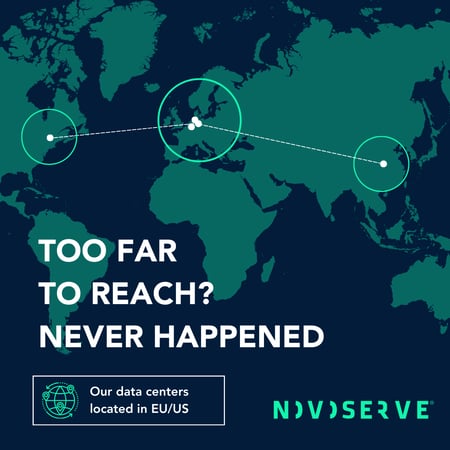
Designing a Global Topology
If your platform serves a global footprint—for instance, users in Europe matching with creators or participants across Latin America (such as Brazil, Colombia, Argentina, and Mexico)—a single centralized server location will fail. The physical constraints of cross-oceanic routing introduce latency that breaks the "real-time" feel of a 1-on-1 call.
The ideal architecture relies on an intelligent, geographically distributed infrastructure topology:
- The Central Hub (Europe/Netherlands): Host your centralized backend, API, and billing architecture in premium Tier-III data centers in Amsterdam or Rotterdam. The Netherlands provides some of the densest network connectivity on earth, making it the perfect anchor for your core data.
- The Edge Media Nodes (US/LATAM Gateways): Spin up independent LiveKit edge nodes in strategic geographic hubs like New York or Miami. These cities feature direct, high-capacity subsea fiber routes stretching straight into South America.
Before opening a video room, your backend checks the latency between both participants and dynamically selects the closest regional node. Because individual LiveKit media nodes do not need to communicate with each other in real time, a user in Bogotá or São Paulo can connect straight to a New York or Miami edge node—maintaining an ultra-low latency connection—while your European backend handles session authorization and billing tokens in the background via private internal networking.
Content Policies & Compliance
Beyond technical specifications, platform longevity hinges on corporate policy. Many companies building real-time video networks, creator platforms, or legal, age-verified adult-friendly applications face sudden service terminations from restrictive mainstream public cloud vendors.
When selecting an infrastructure partner for a webcam platform dedicated server, your technical roadmap must align with your provider's Acceptable Use Policy (AUP). Enterprise video platforms should look for infrastructure partners that operate under clear, stable European jurisdictions (like GDPR compliance) and provide written verification that legal, fully compliant, age-verified creator content is explicitly permitted on their network. This shields your business from arbitrary de-platforming and ensures infrastructure stability.
The Production Checklist
When moving your WebRTC SFU server hosting environment from development to production, ensure your infrastructure partner checks the following boxes:
- Dedicated Hardware: AMD EPYC processors with unshared core access to eliminate hypervisor lag.
- Network Headroom: Dedicated 10 Gbps ports to absorb massive UDP traffic bursts.
- Routing Optimization: Multi-homed Tier-1 transit streams to keep jitter near zero.
- Geographic Footprint: Data centers positioned at critical transit hubs (e.g., Netherlands and US East Coast) for cross-continental routing.
- Policy Alignment: A transparent, written AUP that welcomes legal, creator-driven entertainment platforms.
NovoServe specializes in high-bandwidth, latency-critical bare metal hosting engineered specifically for streaming, WebRTC, and real-time communications platforms. With an 19+ Tbps global network capacity, premium Noction-optimized routing, and custom AMD EPYC configurations across the Netherlands and the US, we build the foundations that keep your streams live. Contact our engineering team today to configure your custom LiveKit test environment.